
Clim8® Advanced Apparel
User manual
Last updated on October 9, 2026
In the Box
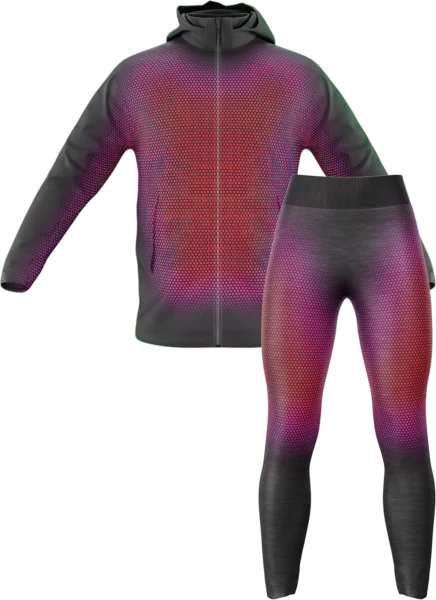
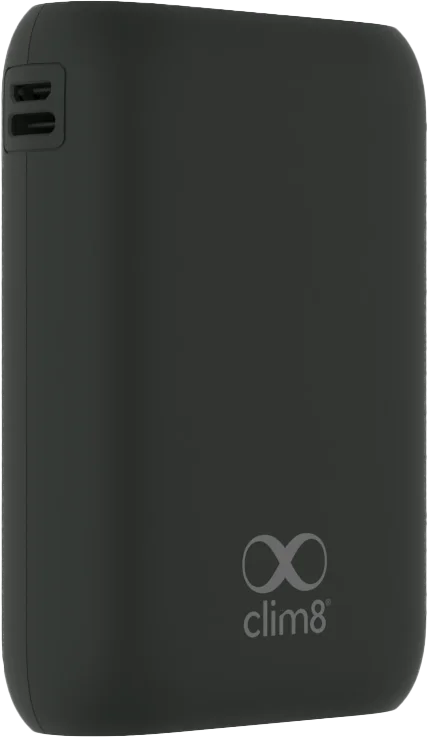
*Not included unless specified on the packaging
First Use
-
Fully Charge the Powerbank
Charge your powerbank to 100% to ensure maximum runtime and peak heating efficiency.
-
Connect and Activate
Plug the USB-C cable into your powerbank.
-
You're All Set!
You're ready to go! The Clim8® technology automatically starts regulating the heat based on your selected mode.
For optimal performance, use a powerbank delivering at least 18W (9V/2A) via USB-C. Standard powerbanks below 18W may cause system shutdowns.
Pro tip: Think of Clim8® as your personal smart thermostat. It automatically adapts heat output in real time, saving energy during activity and boosting warmth when you stop.
Heating Modes
Press the Clim8® module button to cycle through the heating levels: Eco > Comfort > Boost. Each active mode automatically regulates heating to maintain your target temperature, just like a thermostat.
Eco
Comfort
Boost
Active Modes (Eco / Comfort / Boost): Heat is regulated automatically based on your activity and weather conditions.
The Comfort mode target temperature can be calibrated to suit your needs. While calibrating, the module LED fades in and out. When calibration finishes, the LED blinks three times. See how to calibrate Comfort mode.
Power Saving
Manual Standby
You can manually turn on and off your product by pressing the Clim8® module for 2 seconds. The system stays paused and will not reactivate until you long press the button again.
Auto-Standby
After 5 minutes without activity, the system automatically enters Standby mode. Heating pauses and resumes as soon as movement is detected.
Keep Alive & Auto-Off
The system maintains a Keep Alive connection for 1.5 hours in Standby. After 1.5 hours of inactivity, a complete Auto-Off occurs to preserve power. Press the powerbank's button or replug the cable to restart.
Care & Safety
Cleaning
Please always follow the washing instructions on the product's care label.
Before washing, remove the powerbank and put the cap on the connector.
Make sure the product and the connectors are dry before connecting the powerbank.
Powerbank should never be immersed.
Storage
When not in use, store as follows.
When storing the appliance, allow it to cool down before folding. Do not crease the appliance by placing items on top of it during storage.
For long-term storage, disconnect the powerbank from the product. Please keep the product in a dry place.
To prevent battery degradation and extend lifespan, store powerbank at around 50% charge and recharge them every 3–6 months when not in use.
Troubleshooting
Module LED flashes orange
The powerbank is not supplying enough power. Ensure Low Power Mode is disabled on your powerbank.
Quick Fix & Powerbank Delay: Unplug the powerbank, turn it off, and reconnect it. Ensure it delivers at least 18W (9V/2A) continuous power.
Note: Some powerbanks (e.g. Anker) may take 1 to 3 minutes to restore full power after exiting Low Power Mode. Please wait a few minutes or reconnect the cable.
Module LED flashes red rapidly
1. Unplug the powerbank, turn it off, then reconnect it.
2. If the issue persists, unplug the powerbank and contact your official reseller.
Heating stops unexpectedly / Powerbank turns off
Some third-party powerbanks automatically shut down if current draw is too low, despite our Keep Alive feature. Press the powerbank's button to wake it up, or replug the cable.